Personal AI Agents Have Arrived: What Nonprofit Leaders Should Decide Now
Three companies have released AI agents that sign into your accounts and act for you. Here are two decisions to make before staff connect one to a work account.
In three audits this year, I found staff using AI chat tools before their organization had decided anything about them. I expect the same pattern with personal agents.
A personal agent is an AI product that signs into your accounts and carries out a task for you, including while you are away from your desk. Three large companies have released one since August, and all three are sold to individuals as well as to employers. This article describes what they do, what could change for nonprofits, and two decisions worth making before the first staff member connects one to a work account.
How staff use AI today
In the organizations I have audited, nearly all AI use is a conversation. A staff member types a question or pastes in some text, the tool writes something back, and the person decides what to do with it. People use it to draft grant language, summarize long email threads, and turn rough notes into something they can send.
Much of that use began on personal accounts. At one larger nonprofit, five of the people I interviewed were using AI through a personal account, and one of them asked to be told what was safe to share. They had found a tool that helped with their work, and the organization had not yet given them guidance for it.
In every one of those cases, the person still did the sending. The AI produced words, and a staff member read them and chose whether to use them. Personal agents change that step.
What has been released
- Grok Bot, from xAI, opened in beta on August 11. Each person’s bots run on a cloud computer, and a bot acts through whichever accounts its owner signs it into.
- Muse, from Meta, launched on September 8 as an app for the general public. Meta describes it sending email, booking travel and filling out forms, and says it keeps working after the person closes the app. It was downloaded more than 2.5 million times in its first two weeks. On September 29, Meta added connections to small-business software, including QuickBooks, Shopify and Canva.
- Dots, from OpenAI, launched on September 29 inside ChatGPT’s Pro and Business Premium plans. OpenAI says a dot can connect to more than 4,000 apps, can be reached through Slack and Teams, and continues working when your own computer is closed.
Other AI companies offer tools that take actions as well. I am focusing on these three because they arrived within seven weeks of each other and are marketed directly to individuals.
What changes when the tool takes the action
The agent signs in as you. Once it is connected to your email, it can read what is in your mailbox, and once it is connected to a database, it can see what you can see there. I wrote about the same principle for shared drives in Before You Connect AI to Your Shared Drive.
The agent works when you are not there. You can give it a task in the morning and it will keep going while you are in meetings. Some of these products can also run a task on a schedule.
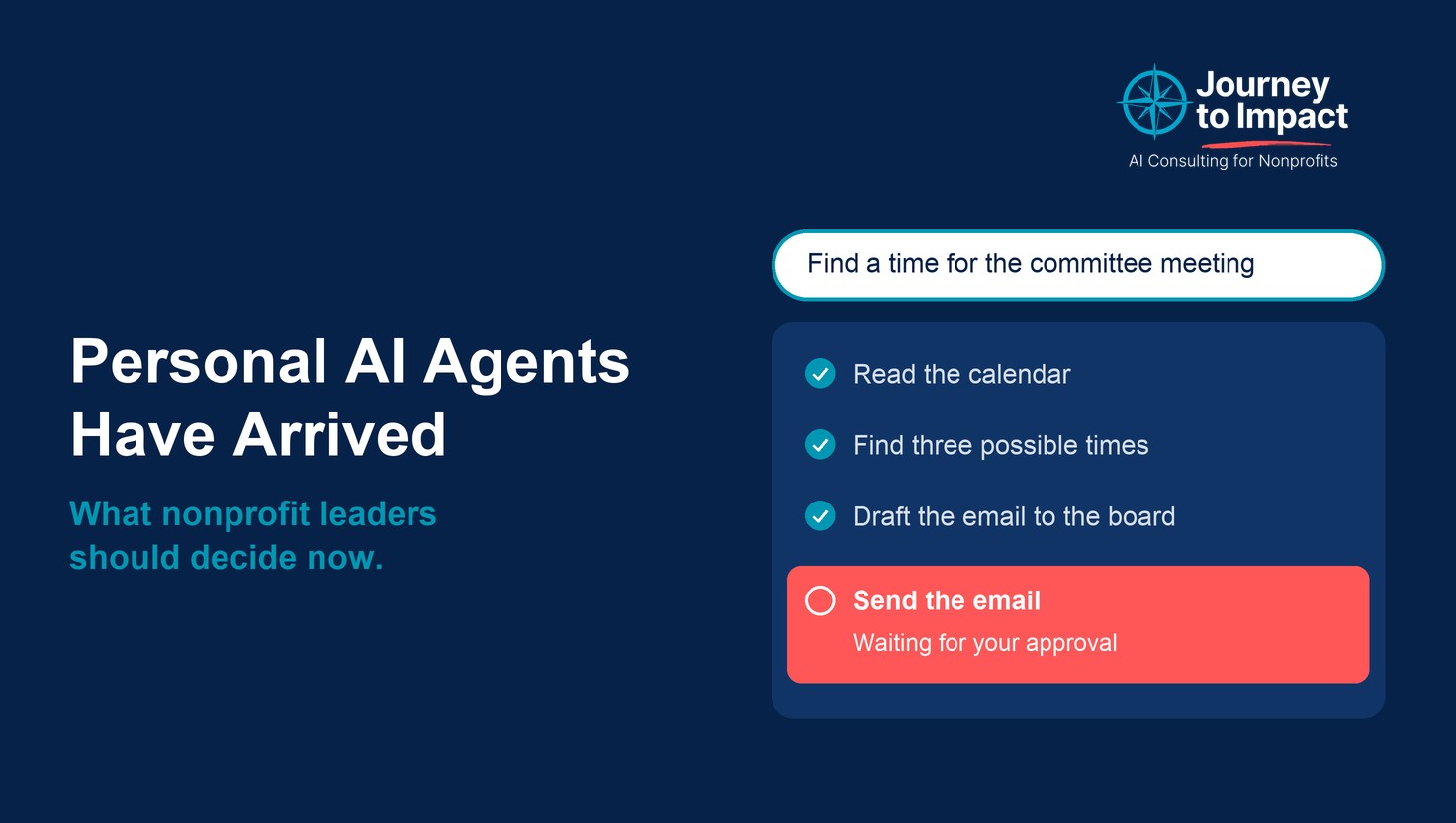
The agent can finish the task. It can send the email, submit the form or make the purchase. Each product has controls for this, and they work differently. Meta says Muse checks with the person before it sends an email or makes a purchase, and lets the person choose whether it may only read their mail or also send from it. Grok Bot lets its owner mark each kind of action as “Ask first” or “Allow automatically.” Dots follows rules that its owner sets. In all three, the person who sets up the agent decides how much it may do without asking.
What this could make possible
A great deal of nonprofit staff time goes to the work around the work. In my audits, that has meant finding a meeting time, chasing a missing form, entering the same information into three portals, and pulling numbers from one system to retype them into another. I described this in The AI Opportunity in Your Nonprofit Was Hiding in the Copy-Paste. Chat tools help with the writing part of those tasks. An agent that can sign in and carry out the steps could take on much more of them, and for a team of five that could mean hours every week. Next week I will write about which tasks make good first candidates.
These agents will also reach you from outside your organization. Your donors, volunteers, vendors and program applicants are the public these products are built for. A donor’s agent may email your office asking for a year-end receipt. An applicant’s agent may fill out your program application or your volunteer form. I have not seen this happen at a nonprofit yet, so this is a prediction. I think it is worth one conversation with your team about how you would confirm that a request came from the person it names, and whether a form completed by an agent is acceptable to you.
Two decisions to make now
1. Decide which work accounts a personal agent may sign into.
Start with a list of the accounts your staff use, and sort them by what they hold. Work email, the donor database, accounting software and personnel files hold information about donors, clients and employees. I would keep agents out of those accounts until the organization has looked closely at a specific product. A calendar, an event registration tool or a social media scheduler holds far less, and those are reasonable places for a first connection.
When a product offers a choice of access levels, choose the narrowest one that still gets the task done. Muse, for example, asks whether it may read mail or also send it.
Write the list down, and say that it applies to every agent product, including one a staff member installed on their own phone. If you have not yet taken stock of the AI tools already in use, I covered how in Before You Write an AI Policy, Find Out What Your Staff Already Use.
2. The agent prepares, and a person sends.
An agent may read, sort, draft and fill in. Anything that leaves the organization under a staff member’s name waits for that person to approve it. That covers three kinds of action:
- a message, such as an email to a donor or a reply to a client
- a submission, such as a grant application, a government form or a vendor agreement
- a payment or purchase
This rule works at any organization because it does not depend on which systems you use. It follows the accountability you already have, which I wrote about in Your Name Is on It. In practice it means leaving the approval setting turned on for those three kinds of action and not choosing “always allow” for any of them. When you look at an agent product, find out whether it asks before sending by default, whether a user can turn that off, and whether it keeps a record of what it did that someone can read afterward.
Both decisions fit in a paragraph added to the AI guidance you already have, and both can be made before anyone on your staff has tried one of these products.
If you want to talk through what this looks like for your organization, grab a free 30 minutes on my calendar: https://calendar.app.google/VzDvwVEWuUdGQgAY6
Is your team using AI with no rules yet?
Book a free call about an AI policy that fits your organization.
Book a free 30-minute call