Before You Write an AI Policy, Find Out What Your Staff Already Use
A national survey shows AI use running ahead of budgets and rules. Two audits show what that looks like at individual desks, and what to do before writing the policy.
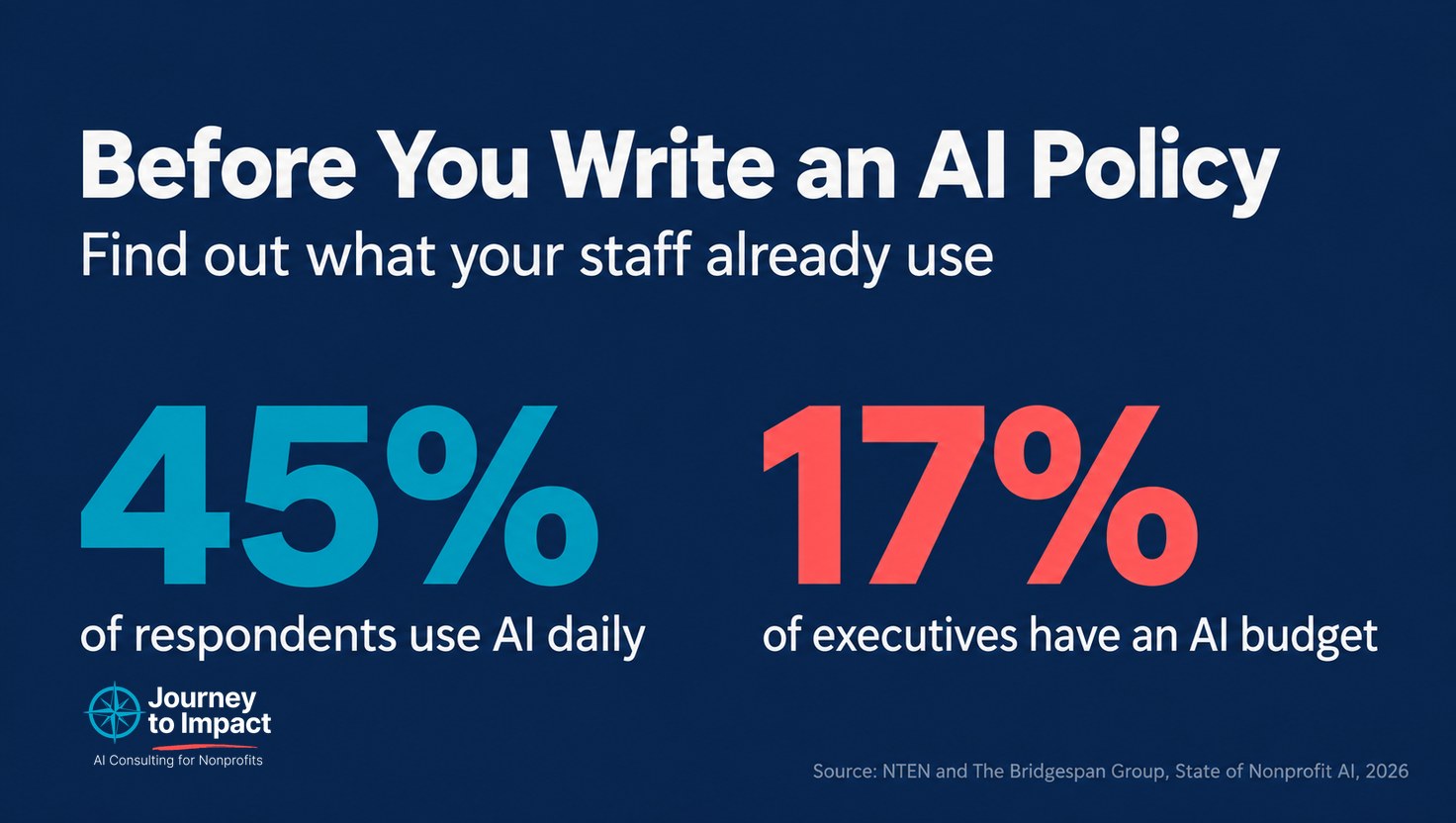
NTEN and The Bridgespan Group published The State of Nonprofit AI on September 10, based on a summer survey of 917 nonprofit staff and executives. Of the 723 people who answered the question about how often they use AI at work, 45% said daily and another 29% said weekly. Of the 404 executives asked about their organization’s AI capacity and governance, 17% said a budget for AI is in place and 30% said they have a process for approving AI tools.
The 45% and 17% figures come from different groups, since the 45% includes staff and executives and the 17% includes only executives. NTEN’s audience also tends to be more comfortable with technology than the sector overall. So I would not read those two figures as a precise measure of how far AI use has outpaced budgets. What they do show is that use is common and budgets are not, and that matches what I found this summer in audits at two organizations. The audits also show something a survey cannot, which is what that use looks like at individual desks.
What was already in use
The first organization is a community nonprofit that runs child care, youth, and membership programs. Five of the six leaders I interviewed were already using AI, and there was no policy behind any of it. One director was analyzing member survey responses in a free consumer account signed in with a work email address. Another was preparing board reporting by uploading a roster of children enrolled in child care into a personal account. The roster included first names, a financial assistance flag, and race. That director had deliberately removed addresses beforehand and checked the results afterward, and then recommended the method to a director in another department, who began using it for the same kind of report.
The second organization is larger, and its leadership had already bought an organizational AI account and written a usage policy for it. Once the conversation turned to what else was in use, three more tools came up. A vice president pays personally for one of them. The chief executive uses another every day for board packets, inbox summaries, and to-do lists. The policy covers only the tool the organization bought. On our first call, a member of their team described the situation as “kind of like the wild west.”
The people in both organizations were solving real problems, and most of them were careful about how they did it. They had been given work that AI helps with, and they had not been given a tool, rules, or anyone to ask.
Five things to do before writing the policy
1. Run an inventory, and include leadership in it.
Send every staff member five questions:
- Which AI tools do you use for work?
- Which account do you sign in with: a personal one, a free one on your work email, or one the organization pays for?
- What do you use it for?
- What is the most sensitive information you have put into it?
- Who showed you how to use it?
Say plainly that nobody is in trouble for their answers. Send it to leadership and staff at the same time, and when you share the results, include leadership’s answers alongside everyone else’s. Staff will find it easier to be honest about their own use when they know leaders answered the same questions. At the second organization, board packets were going through a leader’s tool, and a survey sent only to staff would not have found that.
2. Trace the riskiest use back to the request that caused it.
The roster upload started with a reasonable request from the board for demographic numbers. The director needed counts, the only other way to get them was counting by hand, and AI was the practical option. When your inventory turns up something risky, look at what the person was asked to produce and change how that number gets made. In this case a pivot table or a saved report in the program database can produce the counts directly, and if AI is still useful after that, it only needs to see the totals.
The checking in this example is worth knowing about too. The second director found that children whose gender was recorded as unspecified had been left out of the counts or put in the wrong group, and corrected the numbers before they went to the board. If anyone at your organization produces board numbers with AI, the categories that do not fit neatly are the ones to check first.
3. Count a free account on a work email address as a personal account.
Signing in with a work address makes an account look like it belongs to the organization. On a free consumer plan, the organization still has no administrator, no control over settings such as whether conversations may be used to train the model, and no way to see or delete what was put in. Record these as personal accounts in your inventory so they are not mistaken for something the organization controls.
4. Add up what is already being spent before deciding there is no budget.
The vice president who pays for a tool personally is spending money on the organization’s work, and that spending does not appear anywhere in the budget. Total the personal subscriptions your inventory turns up. Then check whether the software you already license, such as Microsoft 365 or Google Workspace, includes an AI assistant under the organization’s account, and whether the tools your staff prefer offer nonprofit pricing on their organizational plans. Several AI vendors now do. You may find that an organizational account costs less than you expected, or that some of it is already paid for.
5. Ask your national network for its position, and write interim rules while you wait.
The first organization belongs to a national association and was waiting to learn whether it had a position on AI and member data. Asking was the right thing to do. In the meantime, staff kept using the tools they had, because the work did not wait. A one-page interim rule that you revisit when national guidance arrives covers the months in between.
Then write the policy
With the inventory in hand, you know what the policy has to cover. Write the rules about the information and state that they apply to every AI tool, including personal accounts and the assistants built into software you already use. List which tools are approved for organizational information. Then go back through the inventory and decide what happens to each account it found. Some people will move to an organizational account, and some uses will stop.
The report found that 40% of executives have rules in place about what data may go into AI tools and 22% have trained staff on safe use. Both are easier to put in place once you know which tools and tasks the rules and the training are for.
If you run the inventory and want help working through the results, grab a free 30 minutes on my calendar: https://calendar.app.google/VzDvwVEWuUdGQgAY6
The full report is free to download with an NTEN account at nten.org.
Is your team using AI with no rules yet?
Book a free call about an AI policy that fits your organization.
Book a free 30-minute call