We Wrote an AI Policy for a Real Nonprofit. Here It Is.
- How to Tell If the Answer AI Just Gave You Is Any Good
- We Wrote an AI Policy for a Real Nonprofit. Here It Is. (you are here)
- 21 Things AI Could Do at Our Nonprofit. Here Is What We Built.
- The AI Worked. We Were Not Ready For It.
If you search for a nonprofit AI policy template, you will find plenty of them. I have read a fair number, and most share the same weakness, which is that they were written by people who never had to take one into a room and get it approved.
You can tell, because they are built out of principles. Use AI responsibly. Protect constituent privacy. Maintain human oversight. Every one of those is true, and not one of them tells a program manager whether the document currently open on her screen may be pasted into a chat window.
I run operations at Habitat for Humanity of Michigan, where we support 43 affiliates across the state. This summer we decided to put an AI tool in front of program and operations staff. I built the training, and then I stopped before recording any of it, because two of the modules teach people exactly where to put files and exactly what is safe to hand over. Recording those before the rules existed would have meant re-recording them later and re-teaching people a rule they had already learned the other way.
So I wrote the policy first, took it to our technology lead and our leadership, and on August 6 it was approved. This article describes that policy, plus the decisions underneath it that took longer than the policy itself.
A note on the ethics question
I am going to assume you have already worked through whether a mission-first organization should be using these tools at all. If you have not, I wrote about it at length in June under the title about the nonprofit AI ethics debate asking the wrong question, and the short version is that staff time is the scarcest mission-linked resource a nonprofit has, so hours recovered from routine work convert directly into mission rather than into profit.
I am setting it aside here because the values conversation has a comfortable property. It never has to be specific, so an organization can hold it indefinitely. Meanwhile the staff are usually already using these tools on personal accounts, without rules, and nobody can say what went where. Writing the policy is where the abstractions stop.
Why our first draft failed
Our first attempt said something close to “be careful with client data.”
I read it back and understood that I had written a hope. Careful is not a decision procedure. A housing counselor at four in the afternoon, holding a case note she wants help structuring, cannot act on careful. She needs to know whether this specific document is allowed, and she needs to know it quickly enough that checking is not its own task.
So the policy has one job. It tells you which bucket the thing in your hand falls into before you touch it.
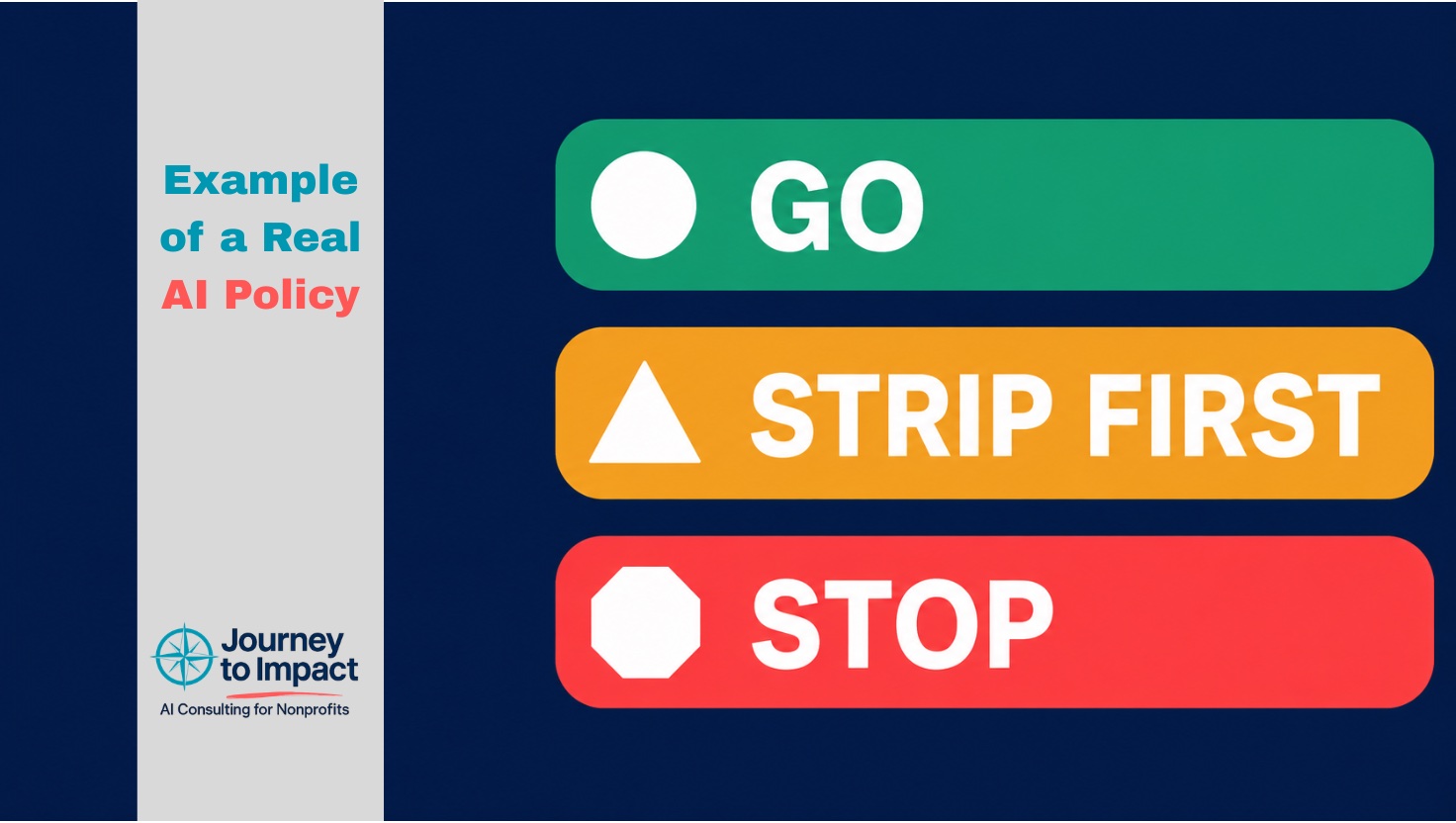
The three buckets
Approved. The specifics below reflect a housing nonprofit, so change the funder names and document types to match your own work.
Green: go ahead. Work containing no information about a specific identifiable person.
- Program descriptions, process documentation, and standard operating procedures
- Templates and form letters with names and details removed
- Meeting notes and agendas about internal operations
- Grant narrative drafting where the content is about the program rather than about individuals
- Communications about process, deadlines, and requirements
- Marketing copy, newsletters, social posts, and web content
- Aggregate and de-identified numbers, for example “we closed 63 homes this year”
- Anything already public, including your own published materials and public funder guidance
- Learning how a system works, drafting a question, or figuring out how to word something
Yellow: strip it first, then go ahead. Work where the task is fine but the document carries identifying details the task does not need.
- A case note you want help structuring, with the name, address, and any account or case number removed first
- A client letter you want to draft, written with placeholders and filled in afterward in Word or Outlook
- A tracking spreadsheet you want analyzed, with the identifying columns deleted
- An email thread you want summarized, with signature blocks, phone numbers, and addresses removed
The test is one question. Is this person’s identity necessary to answer what I am asking? It almost never is, because you want help with structure, wording, or logic.
Red: stop.
- Client case files, income documentation, pay stubs, bank statements, tax returns
- Credit reports, credit scores tied to a named person, debt-to-income worksheets
- Anything carrying a Social Security number, date of birth, or account number
- Donor records, giving histories, and contact lists
- Signed agreements, closing documents, and deeds
- Photographs or scans of identity documents
- Anything received from a federal or state housing agency about a specific household
- Login credentials or passwords for any system
Three categories is the design constraint rather than an accident. A person can hold three buckets in their head while looking at a document. Nobody holds a two-page policy, which is why most of them get read once during onboarding and then stop affecting what anybody does.
The four decisions underneath it
The buckets took a couple of hours. These took considerably longer, and I had not found them discussed anywhere.
Where the connected folder lives. These tools work by being pointed at a folder, and the instinct is to point them at where the files already are, which is usually a synced cloud drive. The consequence is that everything in that folder is reachable by default, including whatever syncs in next month. We chose a separate local working folder that staff copy into deliberately. The copying step is the point, because it forces a conscious look at each file, and that look is the decision the buckets are asking for. The vendor’s own safety guidance recommends the same thing, so the conservative option was also the recommended one.
Whether sessions run locally or in the vendor’s cloud. Ours has an organization-wide setting for this and it defaults to on. This decision went against my recommendation. I had a weak preference for turning it off, and leadership judged the convenience worth it, which is defensible. The safeguards described in the next two paragraphs make this a safe decision.
The feedback buttons. On the plan we use, content submitted through the thumbs up and thumbs down control may be used for model training, and feedback submissions carry a five-year retention window rather than the ordinary deletion timeline. It is the only route by which our content could reach training. We disabled it organization-wide, which took about a minute and seemed more reliable than training people to avoid a button that appears beside every response.
System connections. Whether the tool may connect to your database, file storage, or email. Our answer for this phase is no, written down plainly so that it is a rule rather than a judgment call. We will revisit it once there is a track record.
The two decisions that turned out to matter more
Who does someone ask when they don’t know? Edge cases survive any policy, and an edge case with no owner becomes a guess. We named one person for judgment questions and a second for technical ones, with a twenty-four hour response commitment. The response time carries the weight here, because if asking takes three days then guessing is rational and your policy has stopped applying.
What happens when somebody gets it wrong? Somebody eventually will. We made the procedure blameless and specific: delete the conversation, tell the named person, and it gets logged and reviewed for whether the rule needed to be clearer. That framing is self-interested rather than generous. A mistake nobody reports is one you cannot fix, and it is the one that turns up later in a funder conversation with no warning. A policy that frightens people produces the same number of mistakes and costs you the ability to learn about them.
What the policy costs us
Earlier this year I ran an AI audit across five departments here and interviewed staff about their actual daily work. The two largest time savings it found are both in the red bucket. Case note drafting after counseling appointments runs thirty to forty-five minutes per appointment. Closure portfolio assembly means manually converting Word files, photographs, and PDFs into one submission document. Both involve client information that will not be going near this tool under the policy I wrote.
The policy blocks the best opportunities on my own list, and I approved it anyway.
The reasoning is that the safe work is substantial without them. Affiliate correspondence, process documentation, grant narrative drafting, attendee reporting, and internal communications are all green, and all of them consume real hours right now. Starting there builds a record of how this is actually being used, and in a year that record is a far stronger basis for revisiting the harder categories than any proposal I could write today.
The organizations that get into difficulty here are usually the ones that began with the most sensitive use case because it had the largest number attached.
If you are writing an AI policy
Take the buckets above, change the document types to match your work, and get it approved before you train anybody. The order matters more than the wording. A policy written after staff have already formed habits is a correction, and corrections are much harder to land than rules.
Is your team using AI with no rules yet?
Book a free call about an AI policy that fits your organization.
Book a free 30-minute call